
 Business Log Aspect
Business Log Aspect: a built-in aspect, automatically imported. It asynchronously dispatches business log events produced by rule chain executions to an optional handler chain, or records them in run logs, without affecting the business flow.
Two event kinds:
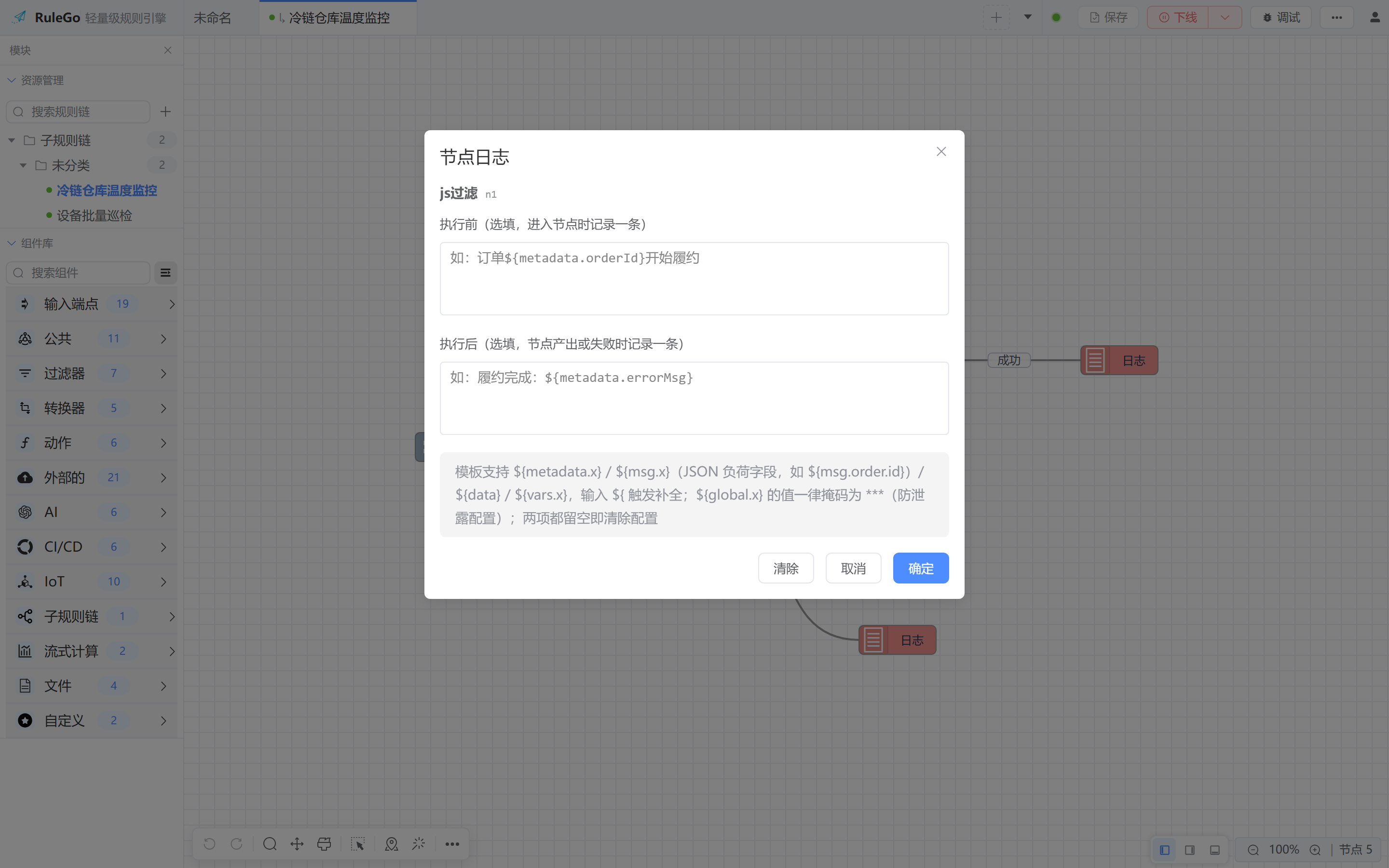
- Node log events (scope=node): a node configured with
logConfigbefore/after templates emits aninevent on entry and anoutevent on completion.Datais the rendered template result. - Chain end event (scope=chain): with chain configuration
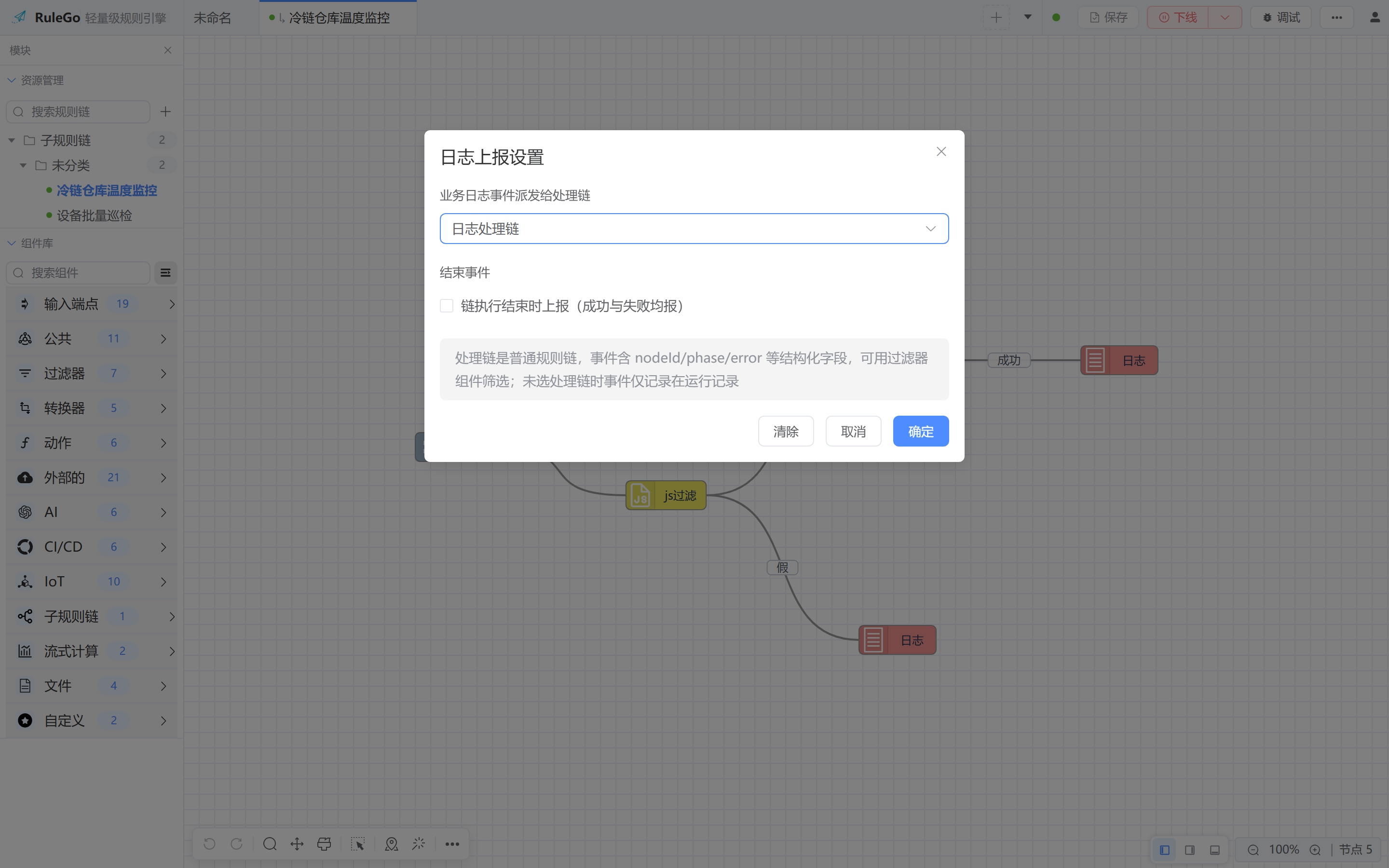
logEvents: ["chainEnd"], anendevent is emitted each time the execution reaches a terminal branch.Datais the message data at the trigger point.
TIP
This aspect will be automatically imported and does not require manual introduction.
# Event structure
An event is a message with type=log; the handler chain receives it as-is:
| Field | Description |
|---|---|
| Data | Node events: rendered template text. End events: message data at the trigger point (the end node's input is the author-designated output) |
| metadata.scope | node / chain |
| metadata.phase | in / out / end |
| metadata.nodeId, nodeName | Node events only |
| metadata.relationType | Output relation of out/end events: Success, Failure, True, False, etc. |
| metadata.error | Error text on failure (end events carry a wrapped error with chain and node context) |
| metadata.chainId, msgId, ts | Source chain, source message ID, nanosecond timestamp |
| metadata.renderError | Set when template rendering fails; Data falls back to the raw template text |
# Chain end trigger points
Follows the engine's end-node semantics, no deduplication:
- Chain with an end node: only the end node triggers, exactly one event
- Chain without end nodes: every leaf terminal triggers one event each
Failures trigger as well, with or without an end node: relationType=Failure with metadata.error set. Under the default config a failed branch triggers when it terminates, alongside the successful path's end-node event if both exist.
# Configuration
Node log templates: right-click a node and choose "Log", then configure before/after templates.
Chain end reporting: right-click blank canvas and choose "Log Report Settings", pick a handler chain and check "Report on chain end".
Or write the DSL directly:
{
  "ruleChain": {
    "configuration": {
      "logHandler": "handler chain id",
      "logEvents": ["chainEnd"]
    }
  }
}
2
3
4
5
6
7
8
| Field | Type | Description |
|---|---|---|
| logHandler | string | Handler chain id, optional; empty means run-log only |
| logEvents | []string | Only chainEnd is supported |
WARNING
Values of ${global.x} are masked to *** before template rendering to avoid leaking host configuration.
# Handler chain
The handler chain is an ordinary rule chain. Filter nodes can branch on metadata.scope, metadata.relationType, etc. Dispatch runs independently: a missing handler chain or a dispatch panic only logs a warning, and the handler chain's own success or failure never affects the business chain. Event messages carry a loop guard, so nodes inside the handler chain may declare log templates without producing second-order events.